Your Statistics Page
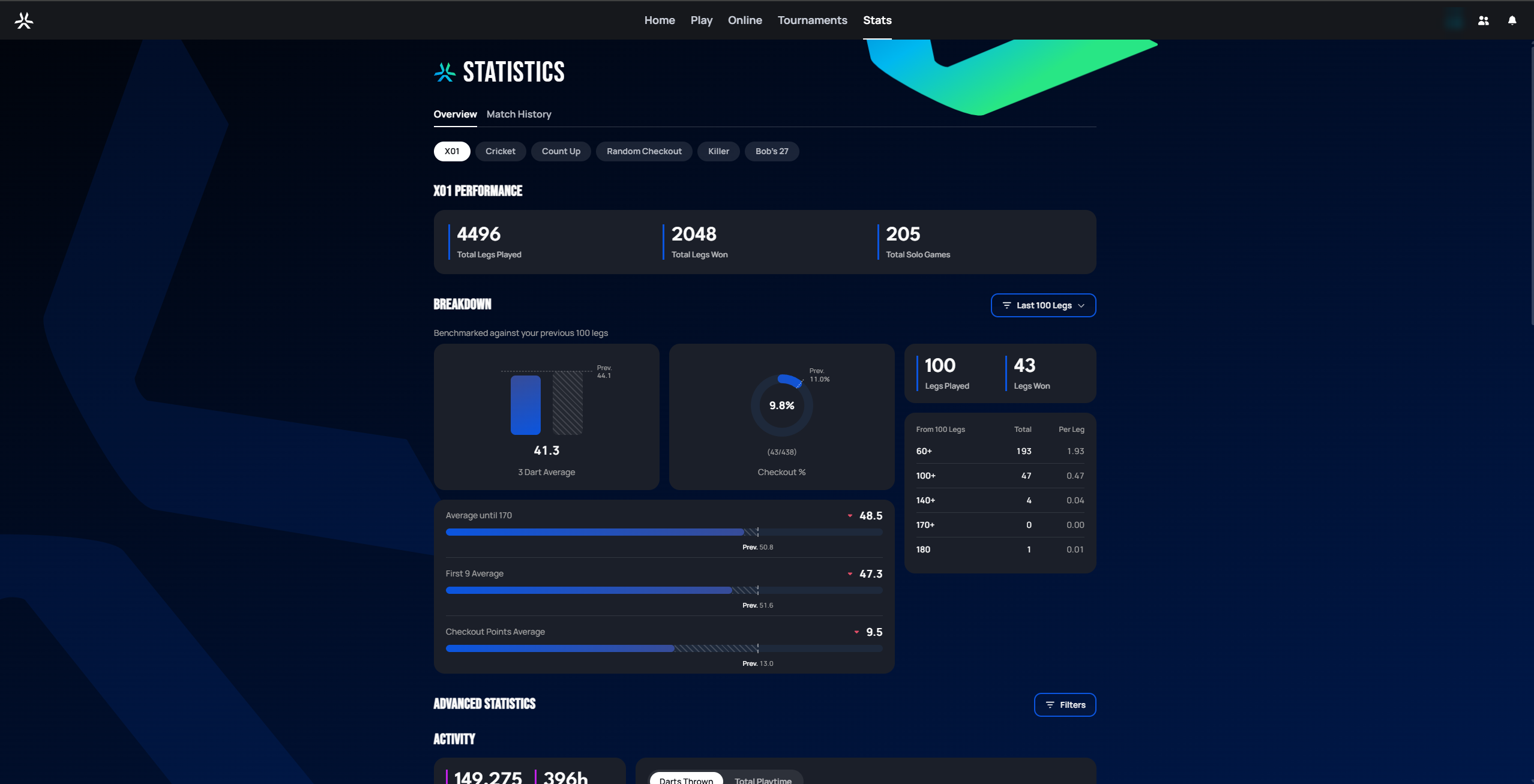
Selecting Stats in the top navigation opens your personal statistics page. It has two tabs: Overview (covered below) and Match History (a list of your past matches).
 Personal data redacted
Overview tab
Game mode filter
A row of pills across the top (X01, Cricket, Count Up, Random Checkout, Killer, Bob's 27, ...) lets you switch which game mode the page reports on. Only modes you've actually played appear here — the exact list will differ from account to account, and there's currently no leaderboard tied to this page (that would be a separate feature, not covered here).
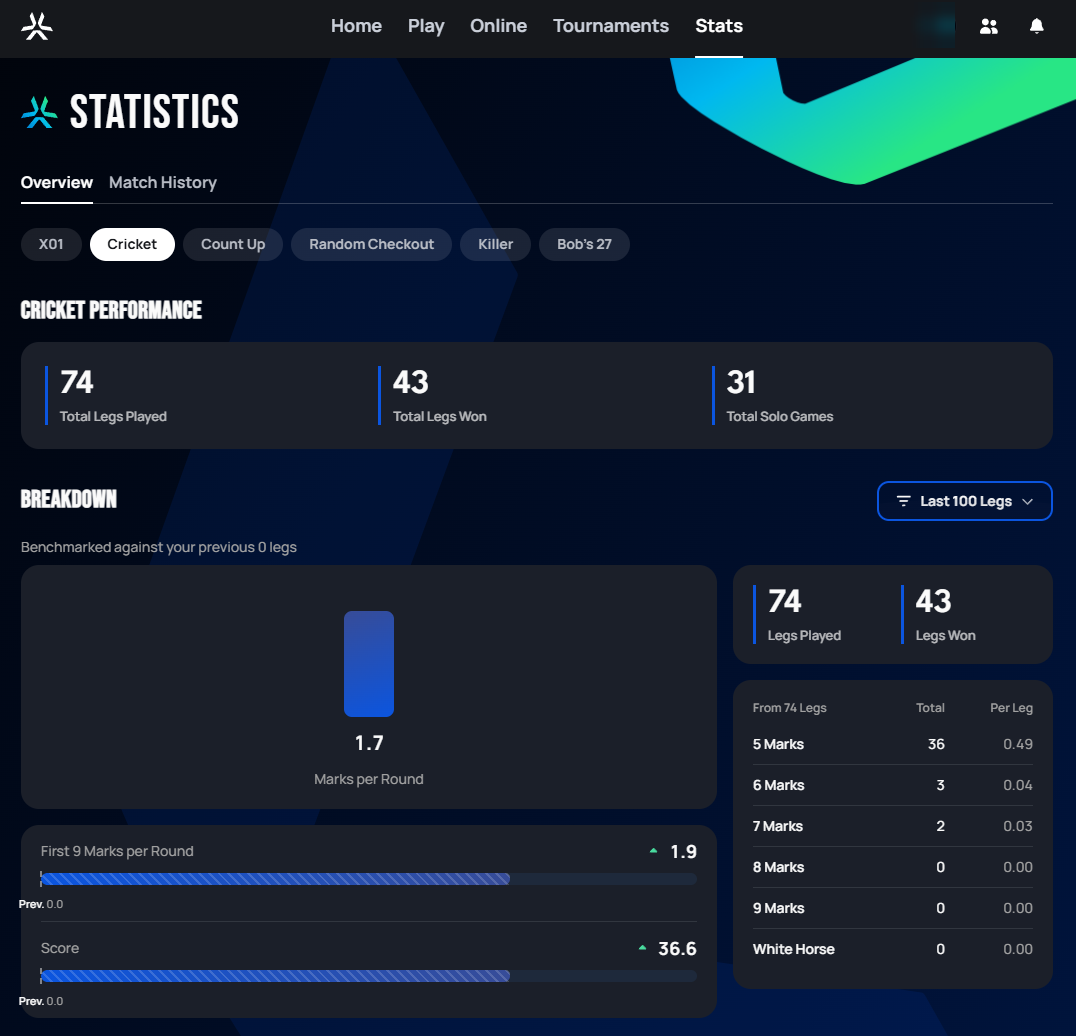
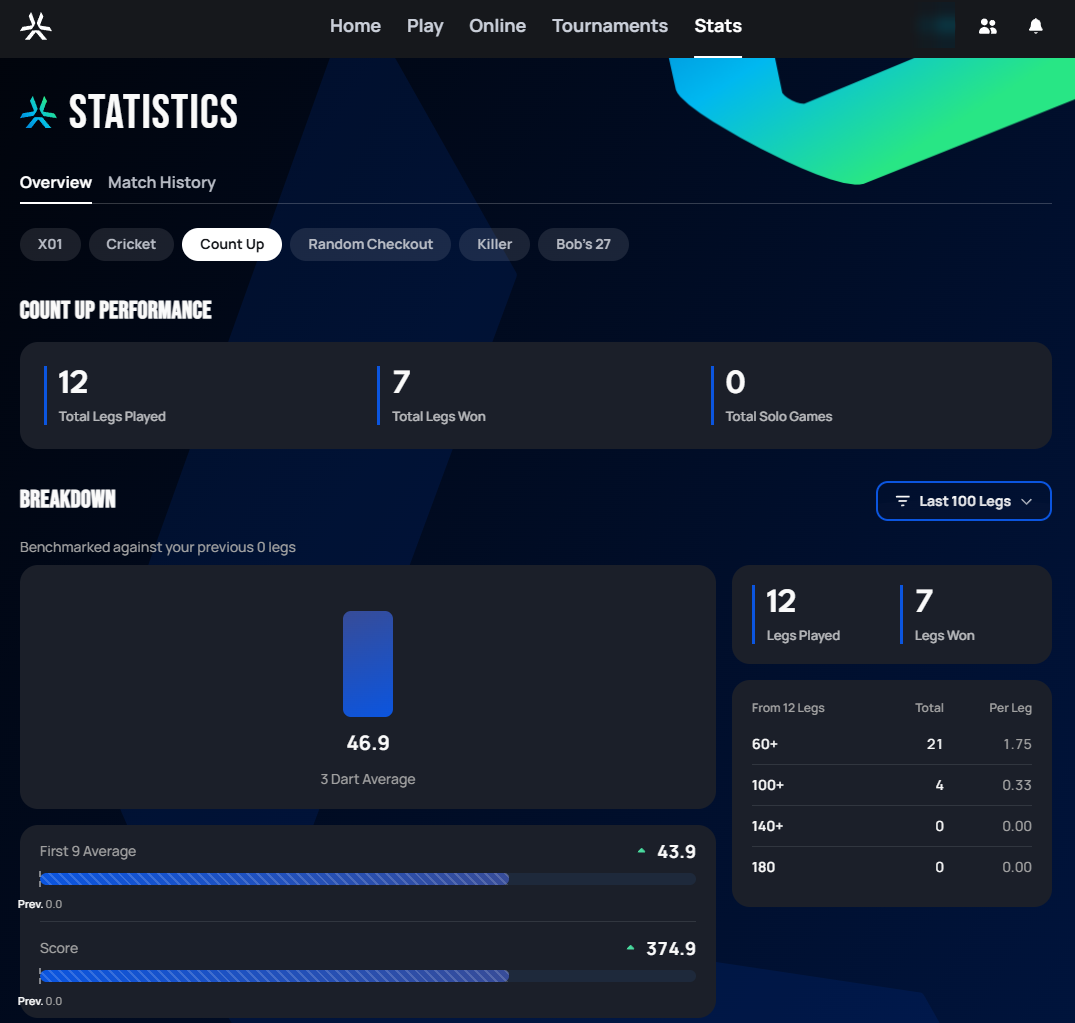
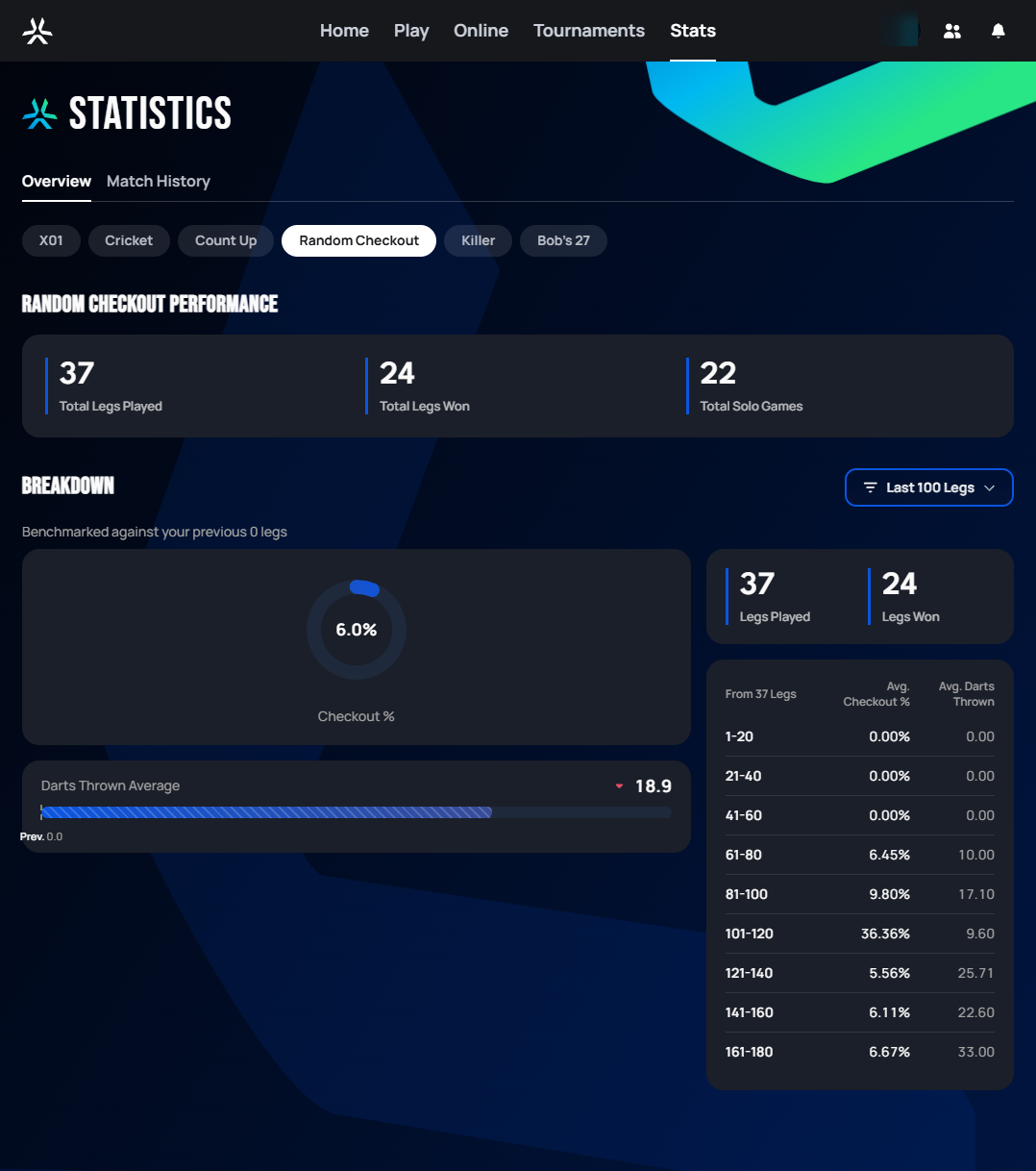
Switching modes keeps the same page layout — Performance summary, then Breakdown — but the specific metrics in the Breakdown section change to fit how that mode is scored. The Performance summary card is the one constant across every mode: Total Legs Played, Total Legs Won, and Total Solo Games.
Breakdown — X01
The Breakdown section benchmarks your recent performance against your previous stretch of legs (a Last 100 Legs dropdown controls the window size). For X01, it includes:
- A 3 Dart Average bar and a Checkout % donut, each annotated with the "Prev." value from before the current window, so you can see at a glance whether you're trending up or down.
- A Legs Played / Legs Won count for the window.
- A scoring table breaking down how many 60+, 100+, 140+, 170+, and 180 scores you hit in the window, both as a total and per-leg average.
- Three trend rows — Average until 170, First 9 Average, and Checkout Points Average — each shown as a bar with the current value against the "Prev." value.
Breakdown — other modes
Every other mode reuses the same "current vs. previous window" layout, but swaps in metrics relevant to that mode's scoring:
 Personal data redacted
 Personal data redacted
 Personal data redacted
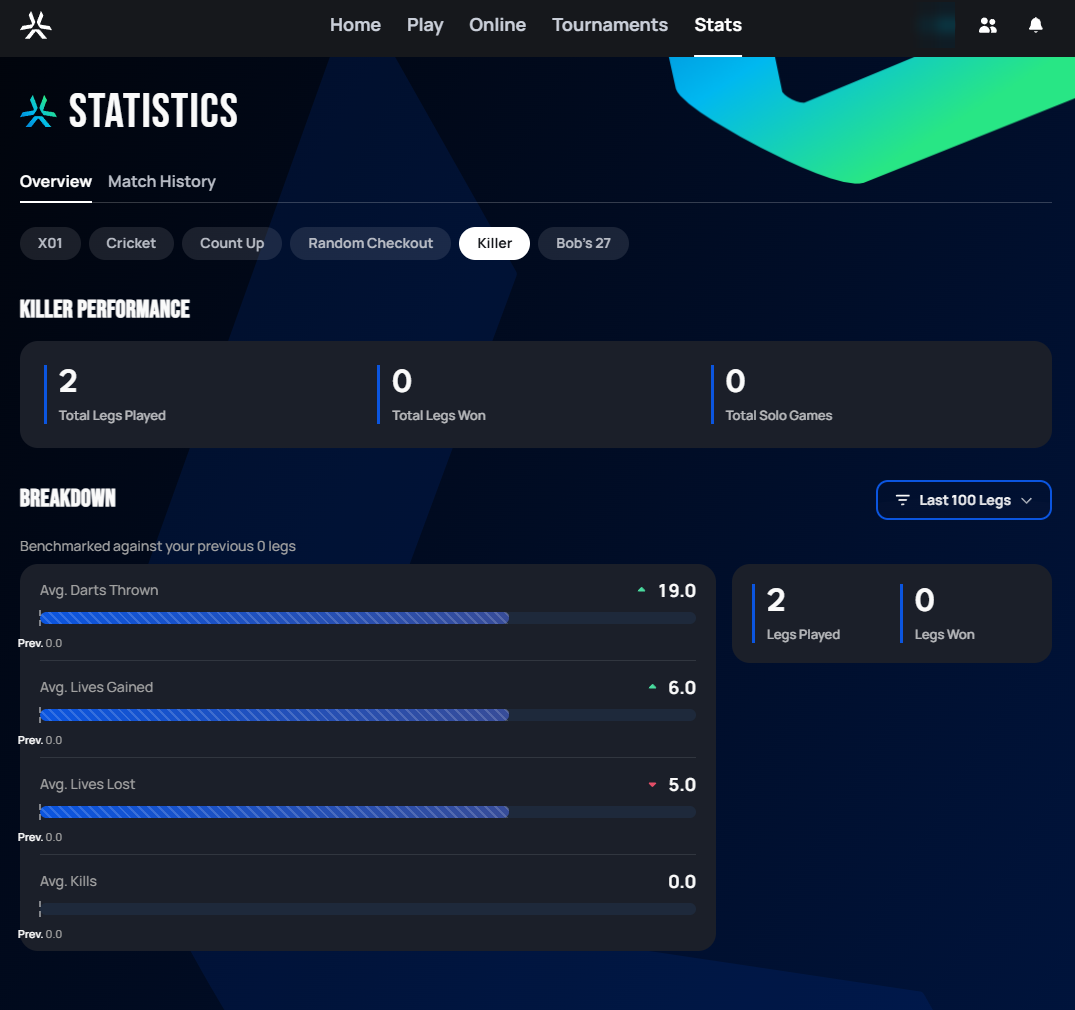 Personal data redacted
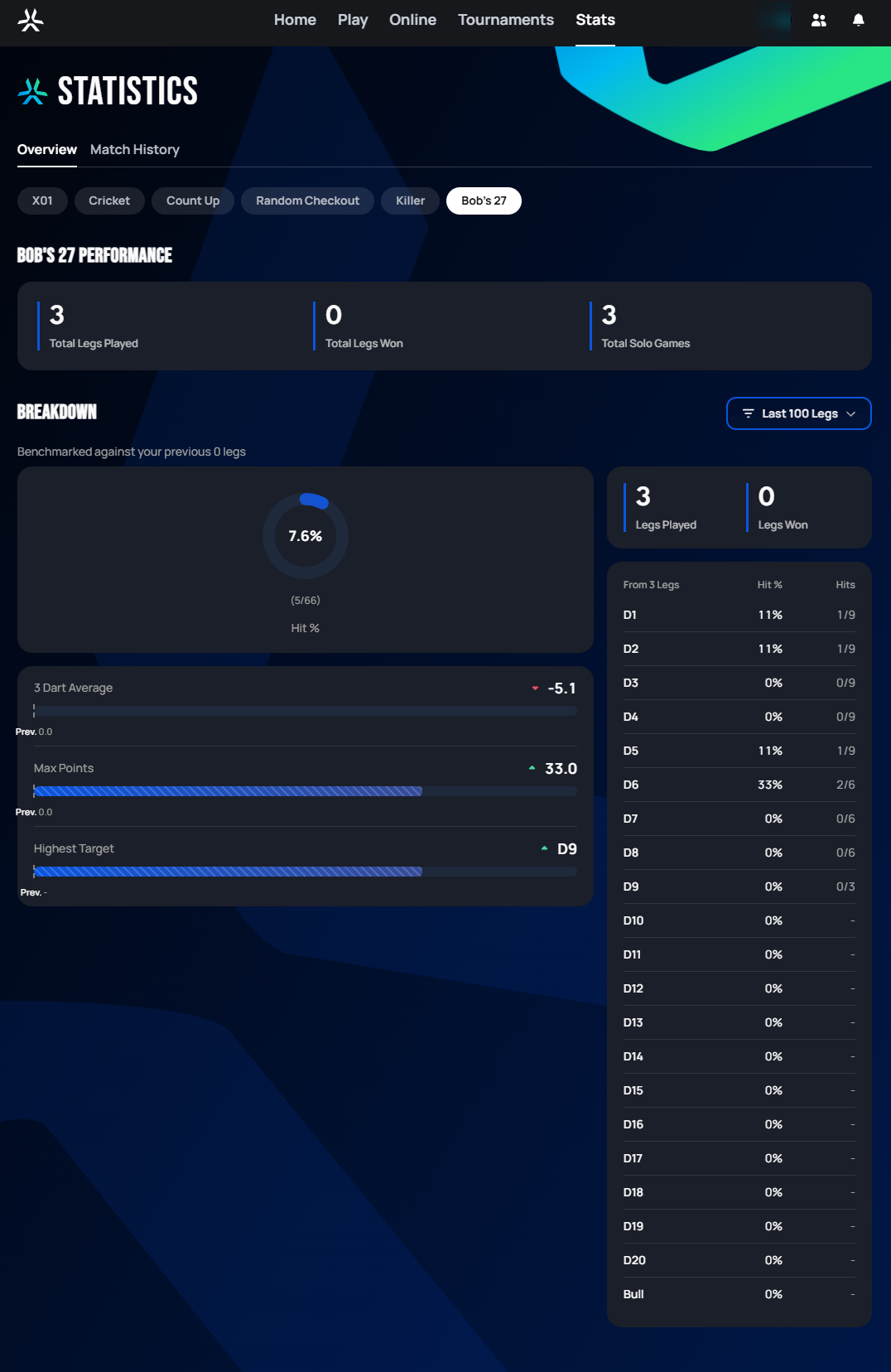 Personal data redacted
Modes not pictured here (Around The Clock, Shanghai, Around The World, Segment Training, Gotcha, Bermuda) either haven't been played enough to populate a Breakdown yet, or their stat pages will be added in a later documentation pass.
Advanced Statistics
:::info Requires Autodarts Plus The Advanced Statistics section (Activity, Scoring, and Checkouts below) is a paid feature — accounts without an active Plus membership won't see this content. :::
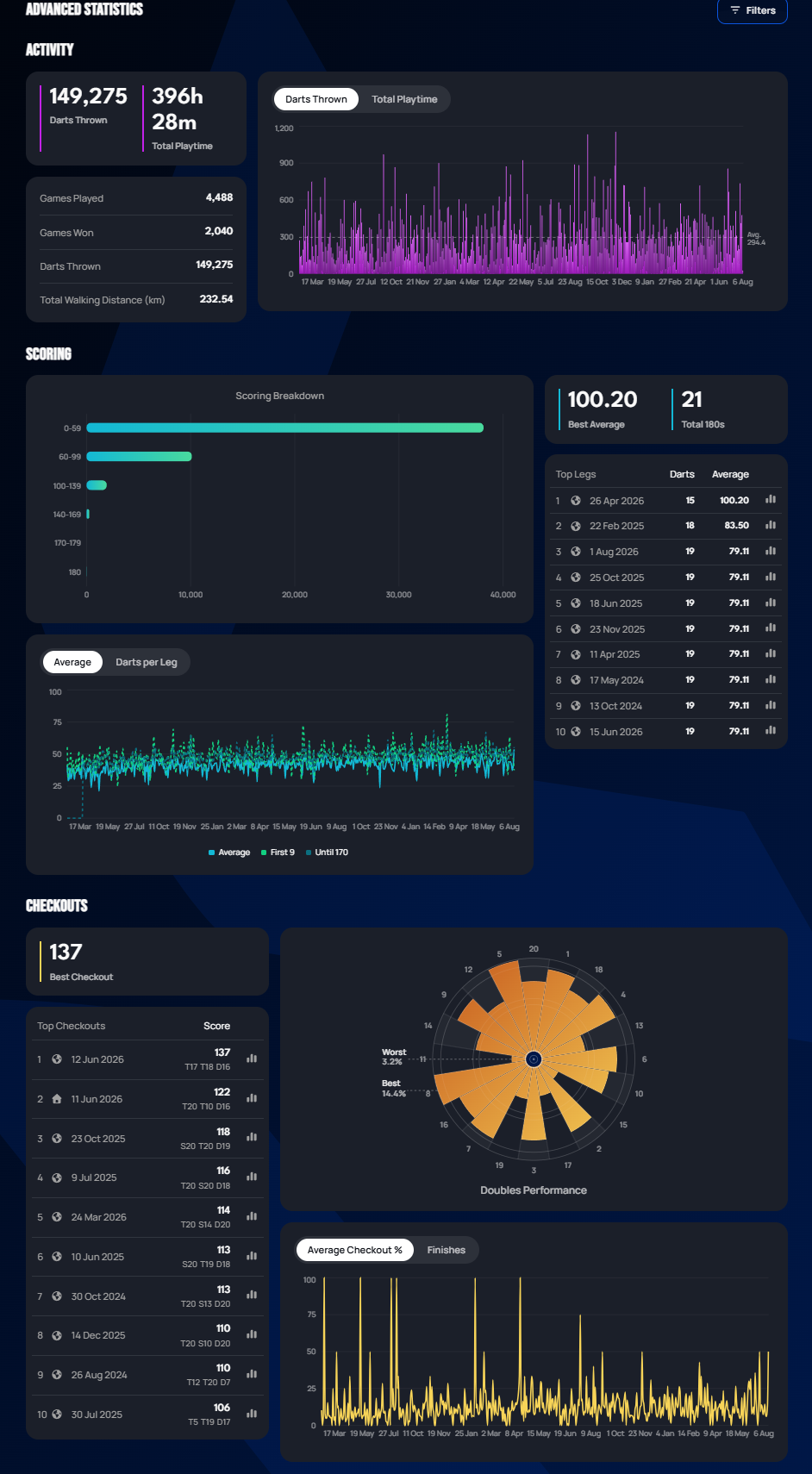
For Plus members, this section adds:
- Activity — lifetime Games Played, Games Won, Darts Thrown, and Total Walking Distance, plus a toggleable chart (Darts Thrown / Total Playtime) of your activity over time.
- Scoring — a scoring-breakdown chart across score bands (0–59 through 180), your Best Average and Total 180s, a Top Legs table (date, darts used, average for that leg), and a line chart tracking Average / First 9 / Until-170 over time.
- Checkouts — your Best Checkout, a Top Checkouts table (date, score,
and the exact dart combination, e.g.
T20 T10 D16), a per-segment checkout-success rose chart ("Doubles Performance", with your best and worst segments called out), and a line chart tracking Average Checkout % / Finishes over time.
A Filters control on this section allows further narrowing (not yet explored in this documentation).
Match History tab
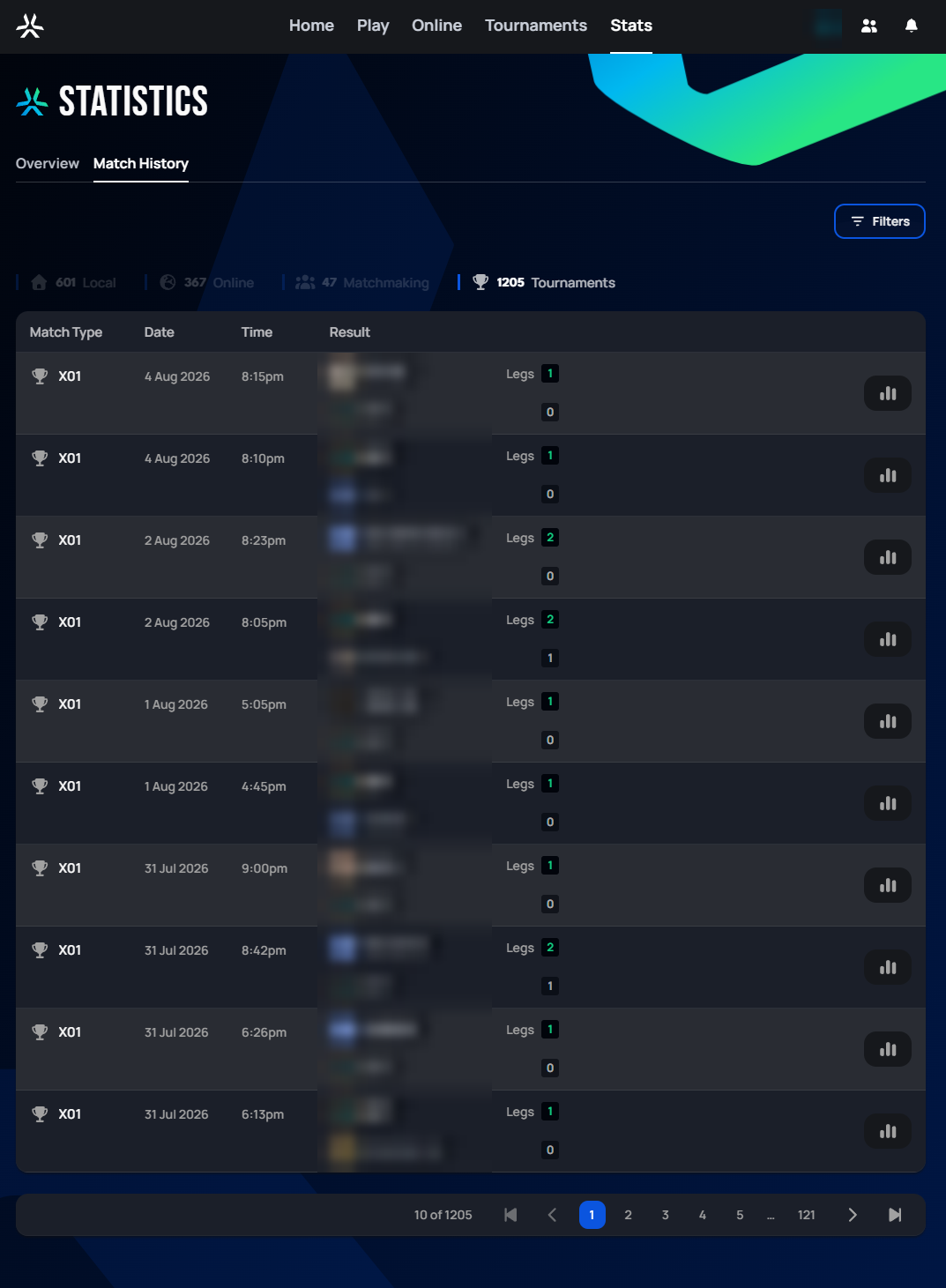
The Match History tab lists every match you've played, most recent first, with the columns Match Type (mode and how the match was played), Date, Time, and Result (both players/bots and the legs each won).
 Personal data redacted
Filtering by match type
Above the list, four counters double as filter buttons: Local, Online, Matchmaking, and Tournaments — click one to show only matches played that way. The screenshot above has Tournaments active (highlighted, with the matching count in white), so every row shown is a tournament match.
Filtering further
The Filters button opens a more detailed filter panel:
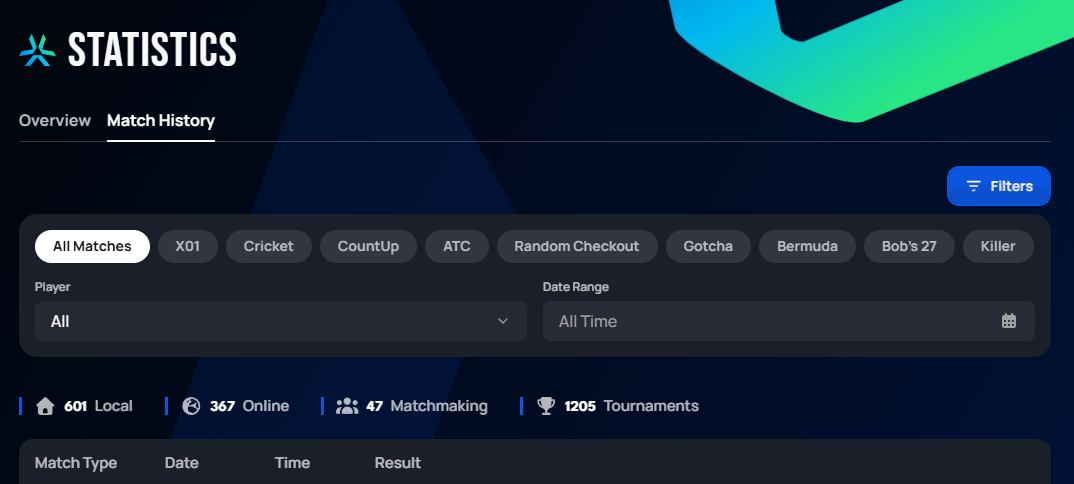
This adds:
- A row of game mode pills (All Matches, X01, Cricket, CountUp, ATC, Random Checkout, Gotcha, Bermuda, Bob's 27, Killer) to narrow the list to one specific mode.
- A Player dropdown to filter matches against a specific opponent.
- A Date Range picker (defaults to "All Time").