Player Cards & Head-to-Head
Clicking any player's name — in a lobby, your friends list, a leaderboard, or match history — opens a player card: a quick-stats popup. This works for any player, not just yourself, though what you can see and do depends on your relationship with that player.
Your own card
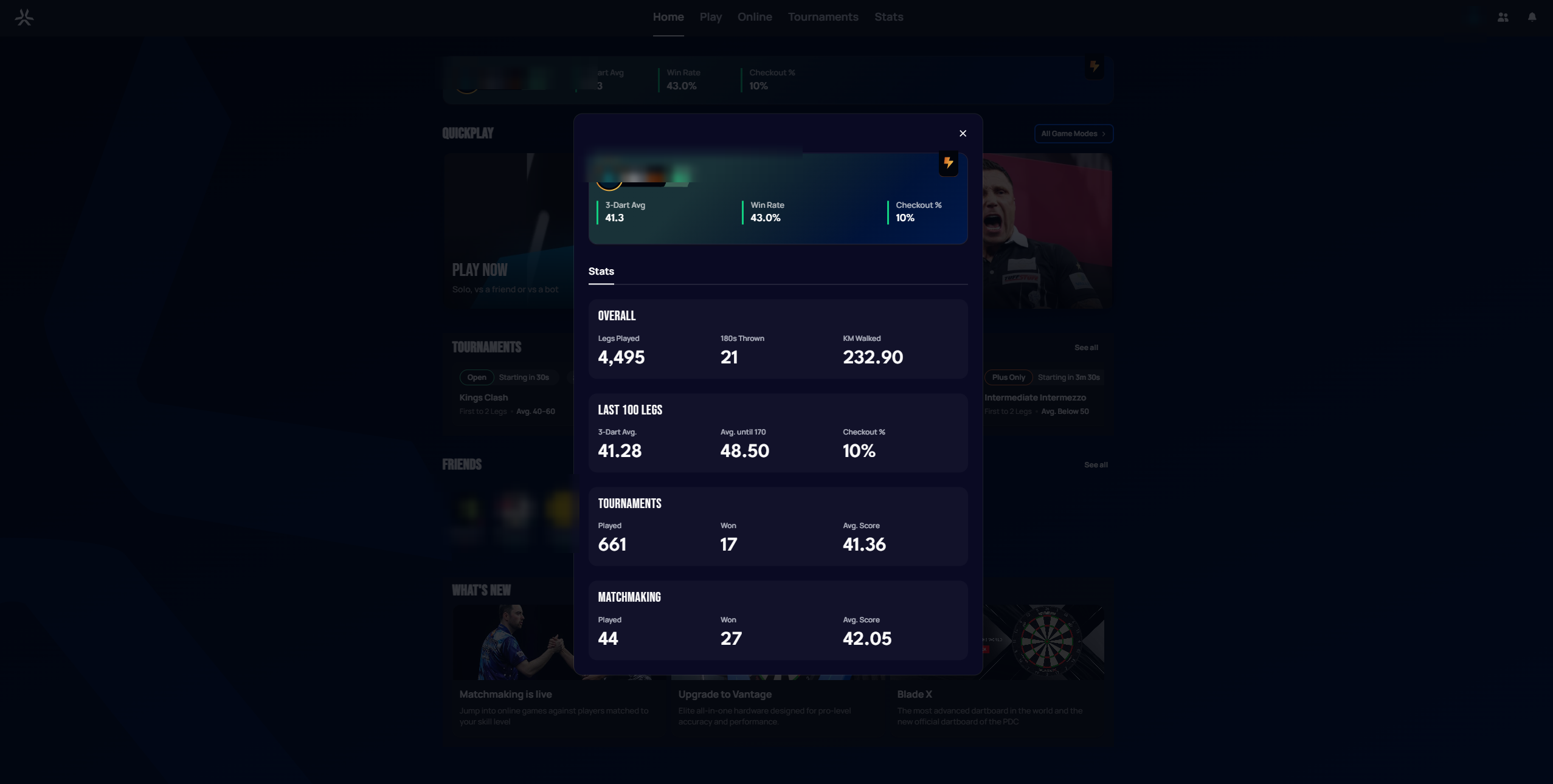
Opened via your own name (for example from the board-identity widget on the Home page), your card shows a single Stats tab — there's no Head-to-Head tab, since you can't compare yourself with yourself.
 Personal data redacted
Another player's card
For any other player, the card additionally shows:
- Their online status (e.g. "Available") beneath their name — this didn't appear on every card in testing, so it may depend on the other player's privacy settings or presence state.
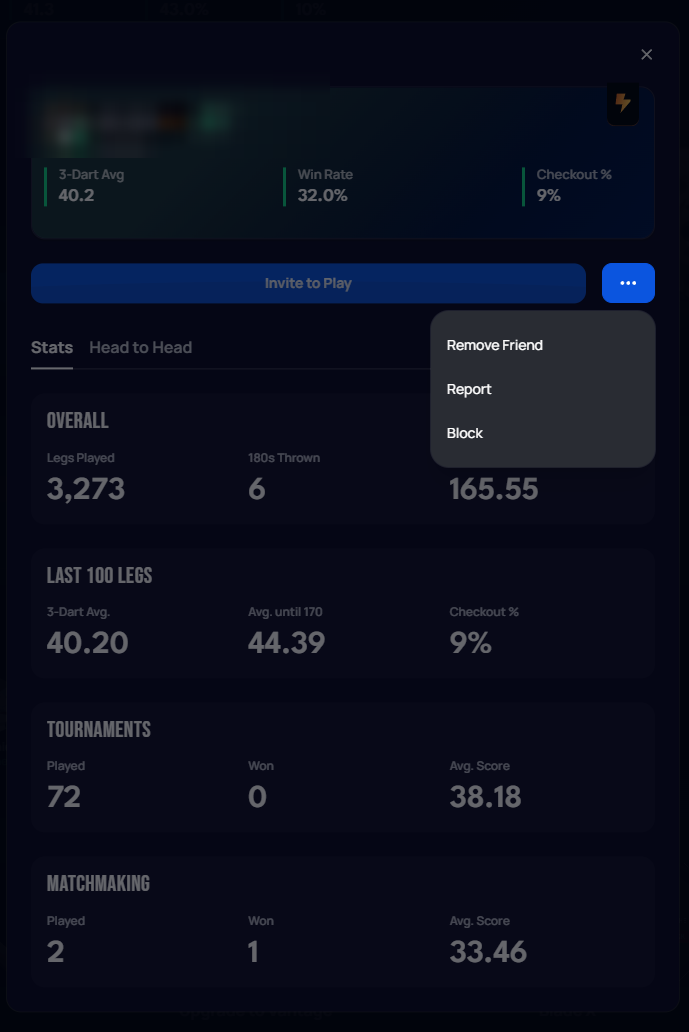
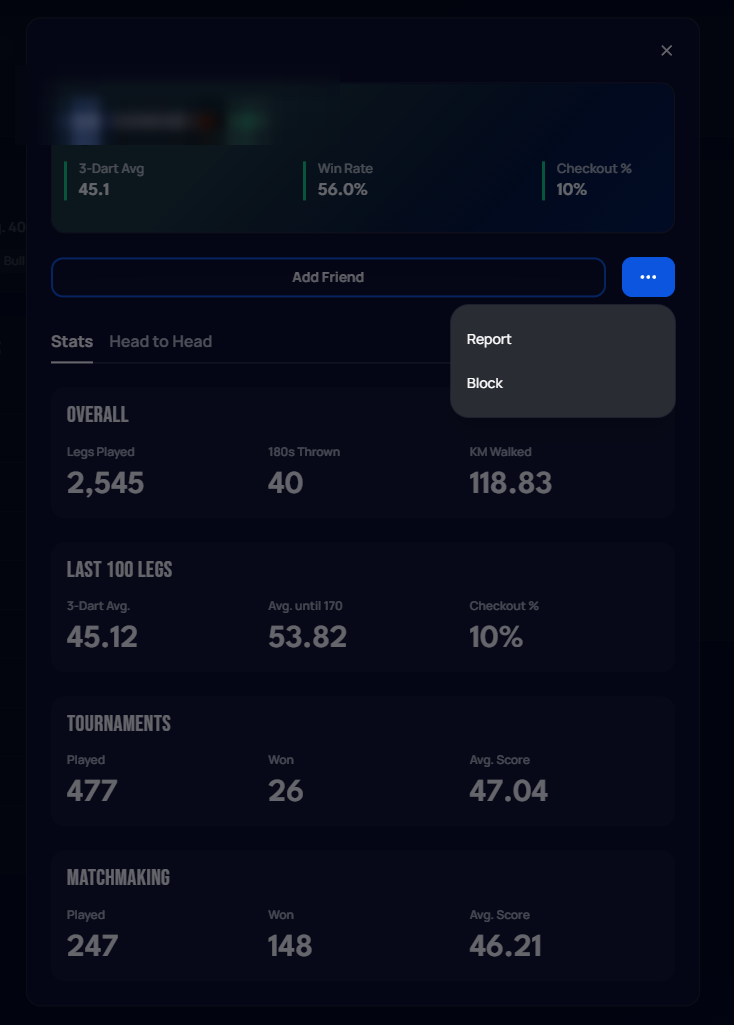
- An action button: Invite to Play if you're friends, or the outlined Add Friend if you're not.
- A ··· menu with further options. Friends get Remove Friend, Report, and Block; non-friends get just Report and Block.
 Personal data redacted
 Personal data redacted
Stats tab
Same breakdown as your Statistics page: Overall (legs played, 180s thrown, km walked), Last 100 Legs (3-dart average, average until 170, checkout %), Tournaments, and Matchmaking (played / won / average score for each).
Head to Head tab
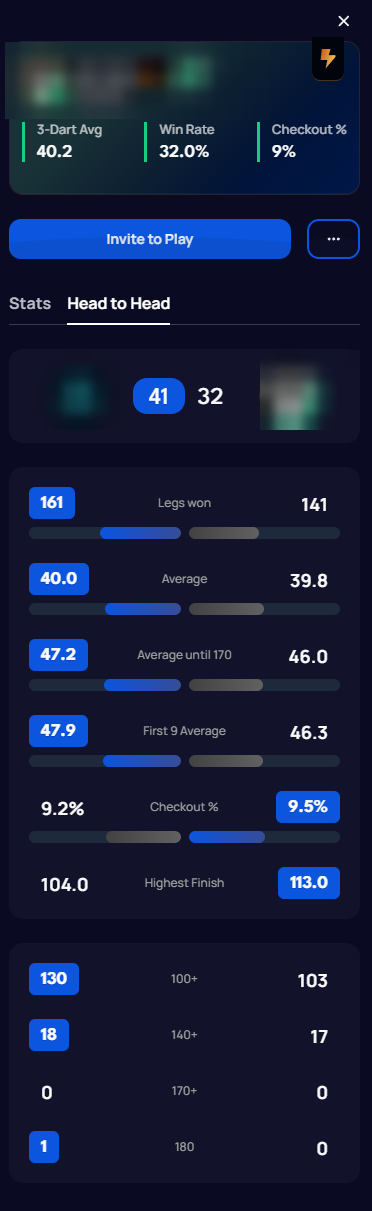
Switching to Head to Head replaces the breakdown with a direct comparison between you and that player:
- Your avatars on either side of your combined legs-won score (e.g.
41 32). - Side-by-side comparison bars for Legs Won, Average, Average until 170, First 9 Average, Checkout %, and Highest Finish — your value and theirs, with the leading side highlighted.
- A small table comparing scoring milestones (100+, 140+, 170+, 180) between the two of you.
 Personal data redacted