Matchmaking
Matchmaking pairs you automatically with an opponent close to your skill level. Reach it either by selecting Online in the top navigation, or the Find an opponent-style tile in the Quickplay row on the Home page (labeled "Matched by skill level").
:::info Currently 501 only Matchmaking is currently limited to 501, Straight In, Double Out. The only choices you get are match length and referee — that will likely expand over time. :::
Starting a match
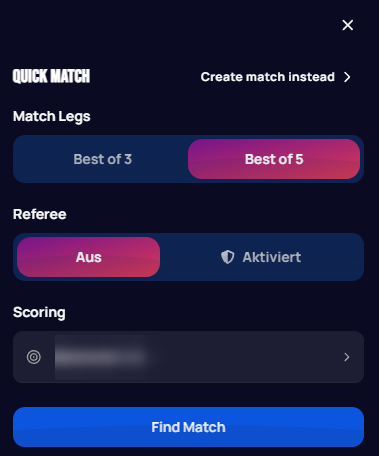
Opening Matchmaking shows the Quick Match panel:
 Personal data redacted
- Match Legs — Best of 3 or Best of 5.
- Referee — Off or Enabled, same as the X01 Referee setting.
- Scoring — which board to play on, same board picker as a custom lobby.
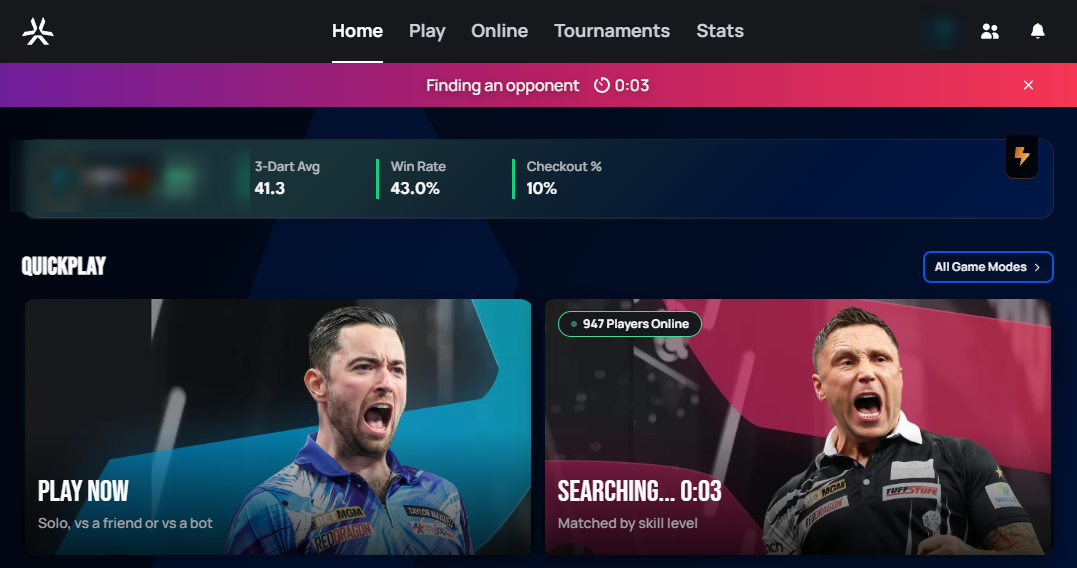
Selecting Find Match queues you up and shows a Finding an opponent banner with a running timer at the top of the screen:
 Personal data redacted
Matchmaking tries to find an opponent within your skill range; the longer you stay queued, the wider that range gradually becomes. You can leave the queue at any time by clicking the X on the right of the banner.
Accepting a match
Once an opponent is found, you must actively confirm you'll join.
:::caution Not responding counts as declining If you don't respond, or you decline, that counts as the same offense and carries a penalty (see below) — the system is designed to discourage queuing up when you don't actually intend to play, since that wastes another player's time. :::
Match & turn timers
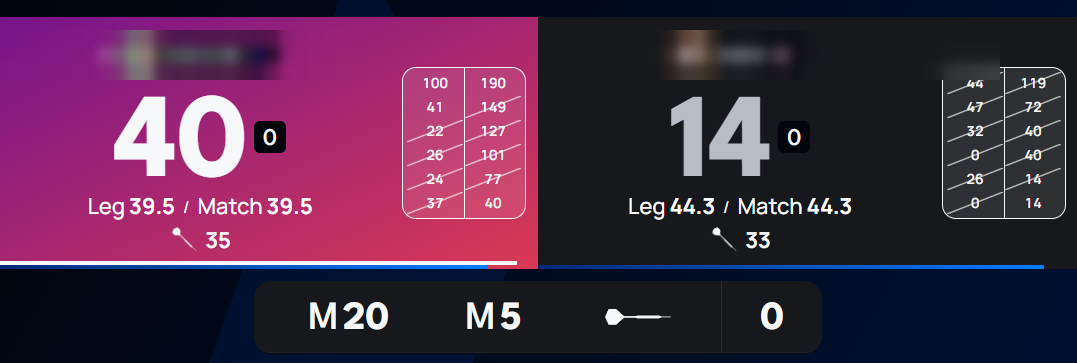
Once a matchmaking match starts, two clocks keep it moving:
- A match timer — 30 minutes per player for the whole match.
- A turn timer — 3 minutes per turn.
If either clock runs out, that player automatically forfeits. This keeps matches from being artificially dragged out — if you don't have time to focus on a match, matchmaking isn't the mode to queue for.
 Personal data redacted
A warning banner also appears once a timer reaches a critically low level — exact thresholds and a screenshot of this are still pending.
Leaving a match early
Surrendering mid-match in a matchmaking game is treated the same way as declining an invite: it's penalized, for the same reason — it wastes the time your opponent already committed to the match.
Penalties
Two separate offenses are tracked, each on its own rolling 24-hour window:
- Declining or not responding to a match invite.
- Abandoning (surrendering) a match in progress.
Each offense type escalates through its own fixed set of matchmaking lockout tiers. Your first offense in a 24-hour window gets the shortest lockout; each additional offense inside that same window bumps you to the next tier up. If 24 hours pass without another offense, the count resets and the next offense starts back at tier one.
| Offense | 1st | 2nd | 3rd | 4th |
|---|---|---|---|---|
| Decline / no response | 5 min | 15 min | 1 hour | 24 hours |
| Abandon mid-match | 15 min | 2 hours | 24 hours | — |
Abandoning starts at a harsher tier than declining, since an opponent has already invested real time into the match by that point. Screenshots of the confirmation prompt and what an active penalty looks like in the UI will be added once captured.